# Why do you need to know about Array-like Objects?
Have you ever encountered an error like this while dealing with JavaScript Arrays?
> Uncaught TypeError: `children.forEach` is not a function
`forEach` is surely a function of an `Array` then why do we get an error like the above? There are a few possibilities,
- You may not be using `forEach` on an Array at all. By mistake, you may be using forEach on a plain JavaScript object, or a string, etc.
- You may be using `forEach` on an `Array-Like` object which you assumed as an array but, it is not.
In this article, we will learn about JavaScript array-like objects and how to deal with them. Hope you find it useful.
# What are array-like objects?
In JavaScript, `objects` are used to store multiple values as a complex data structure.
An object is created with curly braces {…} and a list of properties. A property is a key-value pair where the key must be a string and the value can be of any type.
On the other hand, `arrays` are an ordered collection that can hold data of any type. In JavaScript, arrays are created with square brackets [...] and elements are indexed.
An `array-like` is an object
- Has indexed access to the elements and a non-negative length property to know the number of elements in it. These are the only similarities it has with an array.
- Doesn't have any of the `Array` methods like, `push`, `pop`, `join`, `map`, etc.
Here is an example of `array-like` object,
```js
// It is like, ['I', 'am', 'array-like']
const arr_like = {0: 'I', 1: 'am', 2: 'array-like', length: 3};
```
If you do,
```js
arr_like[2]; // returns, array-like
arr_like.length; // returns 3
```
`Array-like` is completely different from a normal array. It is not constructed by `Array` or with an Array literal []. Hence it won't inherit anything from `Array.prototype`. That's the reason we do not see any of the Array methods in array-like.
The `length` property will not automatically update as well. You can not shrink the array-like by reducing the `length` property value as you do with arrays.
With ES6, you can check this easily,
```js
Array.isArray(arr_like); // returns, false
```
`Array-like` is rather a normal JavaScript object. Even normal Arrays are Objects in JavaScript
```js
arr_like instanceof Object; // returns, true
[] instanceof Object; // returns, true
```
# But, why do you need to know about it?
JavaScript programming language has many usages of `Array-like` objects. You may interpret them as an Array and get into possible bugs if you are not aware. We also need to know how to deal with the `Array-like` object, once we recognize one.
### `arguments` is an Array-like object
> `arguments` is an Array-like object accessible inside functions that contain the values of the arguments passed to that function.
```js
function checkArgs() {
console.log(arguments);
}
```
Let's call this function with a couple of arguments,
```js
checkArgs(1, 45);
```
The output in the browser console,
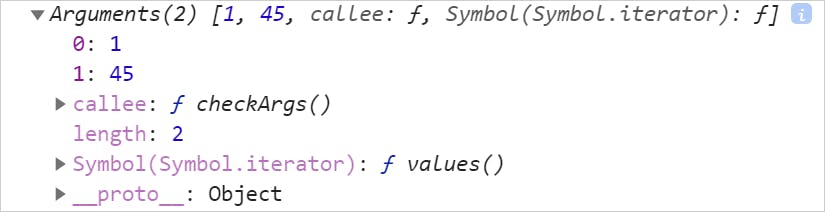
Did you notice the `__proto__` value in the output above? Yes, it is an object, not an Array. Just like any `Array-like` objects, it has a length property and the values are indexed.
```js
function checkArgs() {
console.log(arguments.length);// logs 2.
}
```
Let's try to use some of the Array methods on the `arguments` now.
```js
function checkArgs() {
arguments.pop();
}
```
When we try to pop an element of the arguments, we will get the following error,

How about trying out `forEach`?
```js
function checkArgs() {
arguments.forEach((elem) => {
// Do something here...
});
}
```
No luck! we will get the error,

### JavaScript `HTMLCollection` is an Array-like object
Another example of a JavaScript `Array-like` object is the DOM HTMLCollection. Methods like the `getElementsByTagName()` returns an HTMLCollection.
Let's understand it with an example,
```html
- ...
- ...
- ...
- ...
- ...
- ...
- ...
- ...
- ...
- ...
```
Now, let us try to query the DOM using the method, getElementsByTagName(). We will be using the tag `li` for this example.
```js
document.getElementsByTagName('li');
```
The output is,
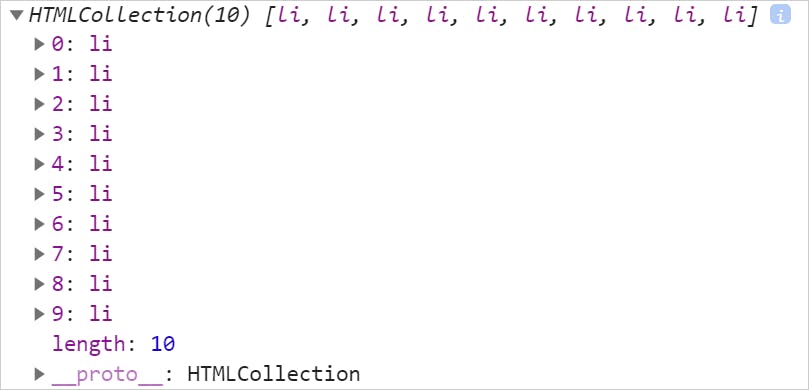
As you see, it is an `HTMLCollection` and looks like an Array. Let us expand the value of `__proto__` and see what is the type of HTMLCollection?
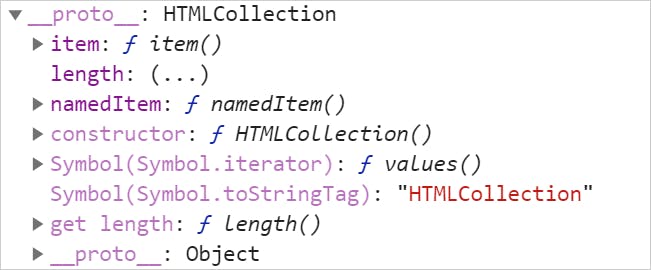
Did you see that? Yeah, it is also an Object. How about we try forEach on it?
```js
document.getElementsByTagName('li').forEach(() => {
// Do something here..
})
```
No luck! It is because HTMLCollection is an `Array-like` object and none of the Array methods are available.

# How to deal with an `Array-like`?
In many situations, you may want to treat an `Array-like` as an Array. There are some advantages to it. If you can convert an Array-like to an Array, you can use all the array methods for computations. But how to do that?
There are three ways we can accomplish it.
### Using ES6 Spread operator.
We can use the ES6 spread operator([...array-like]) to convert an Array-like to an Array. Let us revisit the example of the `arguments` again.
```js
function checkArgs() {
// Using spread operator
[...arguments].forEach((elem) => {
console.log(elem);
});
}
```
We are using the spread operator on arguments and now, allowed to use forEach on it.
Try,
```js
checkArgs(1,45);
```
Output,
```shell
1
45
```
### Use Array.from(array-like)
You can use Array.from(array-like) to convert an Array-like to an Array.
We can do the following for our HTMLCollection example,
```js
const collection = Array.from(document.getElementsByTagName('li'))
```
If you do `console.log(collection)`, you will find this in the browser console,
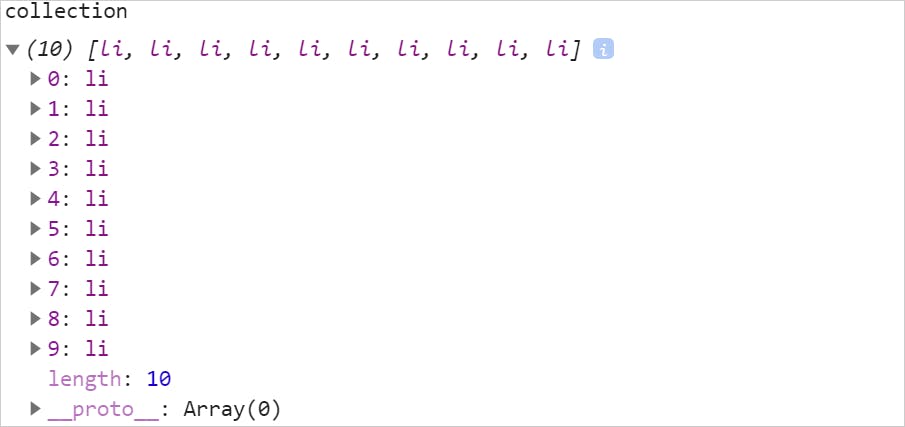
Please check the value of `__proto__` now. It is an Array.
### Using the `slice` method
In the `pre-ES6` era, you can use the slice() method to do the conversion. But wait, isn't the `slice()` method is from Array? How are we going to use it on an `Array-like`? Check this out,
```js
const args = Array.prototype.slice.call(arguments);
```
There are a few things going on there. Let me explain.
- `Array.prototype` gives us access to all the methods and properties.
- We can’t call the `slice()` method directly, the `this` keyword point to Array, not to the arguments variable.
- `call()` is the prototype method of the `Function` object. It allows us to change what the `this` variable points to inside a function.
# In Summary,
Let us summarize what we have learned,
- `Array-like` is not an Array. They just have indexed access to the elements and a length property. All the similarities with an Array end here.
- `Array-like` is just like a normal JavaScript Object.
- JavaScript language has many `Array-like` objects that you may end up using.
- There are three ways to convert an Array-like to an Array so that, you can deal with it properly. Use the `spread` operator, `Array.from` or the `slice()` method.
I hope you find this article insightful. You may also like,
- [My Favorite JavaScript Tips and Tricks](My Favorite JavaScript Tips and Tricks)
- [Explain Me Like I am Five: What are ES6 Symbols?](https://blog.greenroots.info/explain-me-like-i-am-five-what-are-es6-symbols-ckeuz5sb8001qafs14of305dw)
- [How to use JavaScript Collection with Map](https://blog.greenroots.info/how-to-use-javascript-collection-with-map-ckfc477g005sy22s1fra3akvo)
- [Everything you need to know about JavaScript Set](https://blog.greenroots.info/everything-you-need-to-know-about-javascript-set-ckfgkprkg01pw8as1epsycua8)
- [What exactly is JavaScript Tagged Template Literal?](https://blog.greenroots.info/what-exactly-is-javascript-tagged-template-literal-ckg6hyekf000n8bs1hz9udvzc)
If this article was useful, please share it so others can read it as well. You can @ me on Twitter ([@tapasadhikary](https://twitter.com/tapasadhikary)) with comments, or feel free to follow me.