# Gatsby - the window is not defined error, what and how to fix it?
[Gatsby](https://www.gatsbyjs.com/) is one of the most popular Static Site Generators available to create pre-built markups for Jamstack apps. It is a React-based framework that offers a plethora of plug-in ecosystems to make life comfortable for the developer community. I have been using Gatsby for a couple of years now, and my experience is very good with it except for a few glitches.
We will talk about one such glitch that I have faced and luckily found reasonable solutions for it. I hope you find it useful.
# What is the 'window not defined' error?
You can run a Gatsby-based application in two different environments,
- `gatsby develop`: A development environment enabled with hot-reloading. In this environment, all browser-specific APIs like `localstorage,` or the globals like `window,` `document,` etc., will work well.
- `gatsby build`: It is the environment to build the application to produce deployable artifacts. You can even run the app locally from the deployable artifacts using the `gatsby serve` command. Unlike the `development` environment, the `build` environment is based on `nodejs`.
The nodejs environment doesn't have the browser-globals like `window`, `document`, etc. Hence if the source code has a reference to them, you are more likely to get a build failure with the error, `window is not defined`.
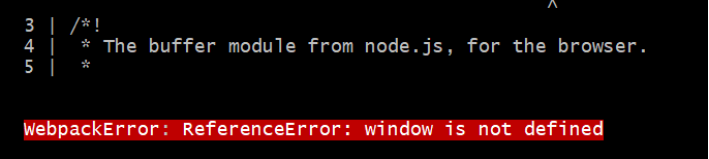
> Please note: You may also face this error when you use a client-side library(maybe, an npm) that contains a reference to `window`, `document`, etc.
# How to fix the 'window not defined' error?
There are multiple ways to fix/ignore this error. You may want to use the one most suitable for you.
## Check if `window` is defined
You can check if the browser-global object `window` is defined and based on it, execute the related code block.
```js
const isBrowser = typeof window !== "undefined"
```
The variable `isBrowser` helps you to determine if the `window` object is available in the environment. Let's use it to check and call a method to get an item from the browser's local storage.
```js
export const isAuthenticated = () => {
if (!isBrowser) {
return;
}
return window.localstorage.getItem("isLoggedIn") === "true"
}
```
You can also consider writing it as a simple util function like,
```js
// utils.js
export const isBrowser = () => typeof window !== "undefined"
```
and then use it elsewhere,
```js
import { isBrowser } from './utils';
if (!isBrowser) {
return;
}
// ... other code
```
## Using `useEffect` hook or `componentDidMount` method
`Gatsby` is a React-based framework. If the problematic code is in the component's render function, move that code into a `useEffect` hook or a `componentDidMount` lifecycle method. It will ensure the code doesn’t run unless it’s in the browser.
## Handling at the Configuration level
You can also fix/ignore this error at the configuration level. This solution is more apt for the third-party modules/libraries/npms depending on the `window` object. You can customize your `webpack` configuration to replace these modules with a dummy module during server rendering.
To do that, open the `gatsby-node.js` file and add this at the end of the file,
```js
exports.onCreateWebpackConfig = ({ stage, loaders, actions }) => {
if (stage === "build-html") {
actions.setWebpackConfig({
module: {
rules: [
{
test: /offending-module/,
use: loaders.null(),
},
],
},
})
}
}
```
The word `offending-module` has to be replaced with the actual module name. For example, if you are using [auth0](https://auth0.com/) with Gatsby, you can mention the module name as `auth0-js` in the above configuration. Using Webpack’s null loader, we will effectively ignore `auth0-js` during the build.
I hope you find the article useful. If you enjoyed this article or found it helpful, let's connect. You can find me on [Twitter(@tapasadhikary)](https://twitter.com/tapasadhikary) sharing thoughts, tips, and code practices. You may also like,
- [JAMstack for All: An Introduction](https://blog.greenroots.info/jamstack-for-all-an-introduction-cke2fxc5800jvabs15lhn4a9x)
- [JAMstack vs traditional monolithic workflow](https://blog.greenroots.info/jamstack-vs-traditional-monolithic-workflow-cke6wmr0o00tzxms1dkid7so5)
- [What is a Static Site Generator and how to select one?](https://blog.greenroots.info/what-is-a-static-site-generator-and-how-to-select-one-cke9xtx5g006p58s11dzg2j16)
- [How to build a serverless app with Gatsby, Netlify and FaunaDB](https://blog.greenroots.info/how-to-build-a-serverless-app-with-gatsby-netlify-and-faunadb-part-1-ckf2dpwy200idbns1fbgpg7kx)
P.S. I love Coffee ☕. 